> ## Documentation Index
> Fetch the complete documentation index at: https://app-guide.empara.io/llms.txt
> Use this file to discover all available pages before exploring further.
# Benefits Wallet
> This page will walk you through the benefits wallet features in the app.
## How to get there
If healthcare benefits are configured in your app, navigate to your benefits wallet by tapping the icon that looks like an ID card in your app navigation bar.
 **Don't see the Benefits Wallet?**
If you do not see a card icon in your navigation bar, this feature may not be enabled in your app. If unavailable, your AI Assistant may be able to help with benefit-related questions.
## Coverage Cards
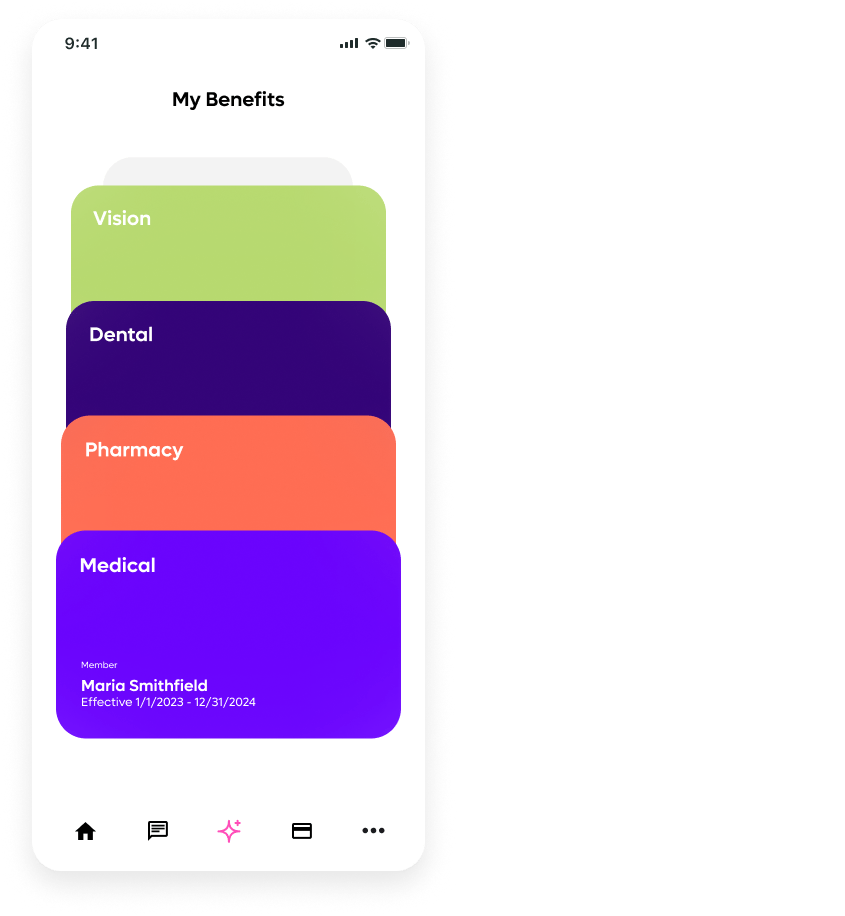
Opyn separates individual benefit coverages such as medical, pharmacy, dental, and vision into their own cards. Tap on a card to get the benefit details.
Once in the coverage detail screen, there are two tabs at the top: "my plan info" and "my cost."
**Don't see the Benefits Wallet?**
If you do not see a card icon in your navigation bar, this feature may not be enabled in your app. If unavailable, your AI Assistant may be able to help with benefit-related questions.
## Coverage Cards
Opyn separates individual benefit coverages such as medical, pharmacy, dental, and vision into their own cards. Tap on a card to get the benefit details.
Once in the coverage detail screen, there are two tabs at the top: "my plan info" and "my cost."
 ## My Plan Info Tab
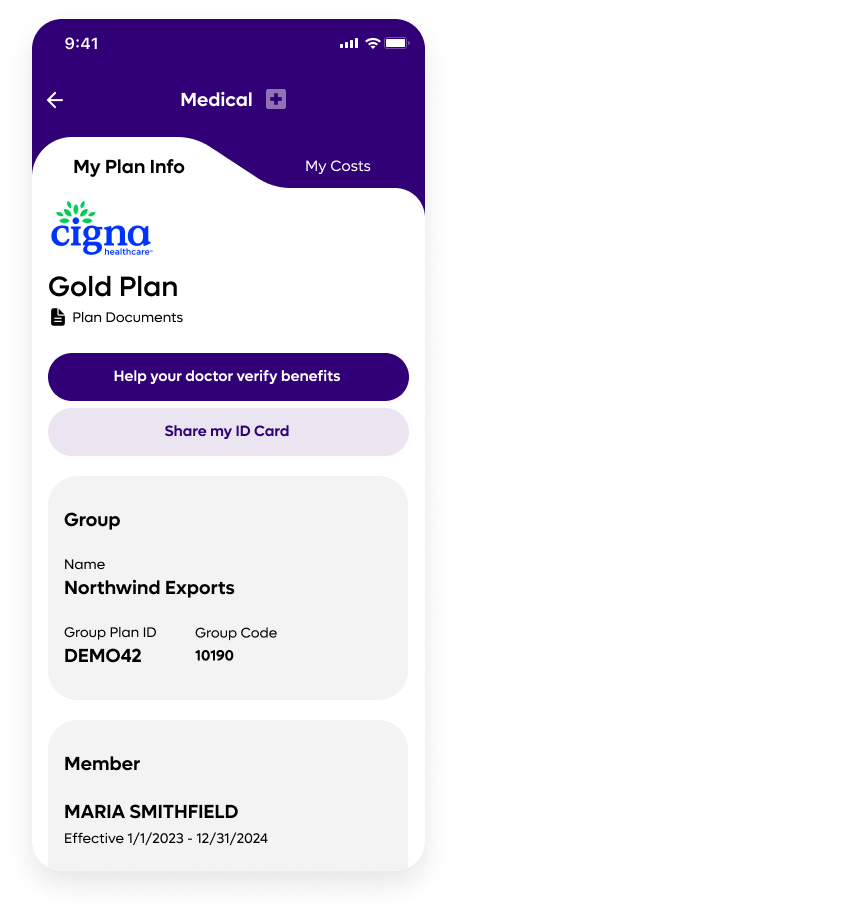
The My Plan Info tab holds all your relevant coverage information. Here you can download important plan documents and share your digital ID card. Depending on your configuration, you may be able to request a physical ID card.
You may even find a handy tips section called "Help your doctor verify benefits" that explains your plan details in a way that will help the receptionist at your provider's office.
### Group and member info
Scroll down to see your group information, member, and dependent information.
### Member contacts
The Plan Info tab holds key contact information like phone numbers for health plan member services or care navigation. Just tap to call!
### Provider contacts
If your plan requires precertification, your app will display the proper phone numbers for providers and give guidance on where they should submit claims.
## My Plan Info Tab
The My Plan Info tab holds all your relevant coverage information. Here you can download important plan documents and share your digital ID card. Depending on your configuration, you may be able to request a physical ID card.
You may even find a handy tips section called "Help your doctor verify benefits" that explains your plan details in a way that will help the receptionist at your provider's office.
### Group and member info
Scroll down to see your group information, member, and dependent information.
### Member contacts
The Plan Info tab holds key contact information like phone numbers for health plan member services or care navigation. Just tap to call!
### Provider contacts
If your plan requires precertification, your app will display the proper phone numbers for providers and give guidance on where they should submit claims.
 ## My Costs Tab
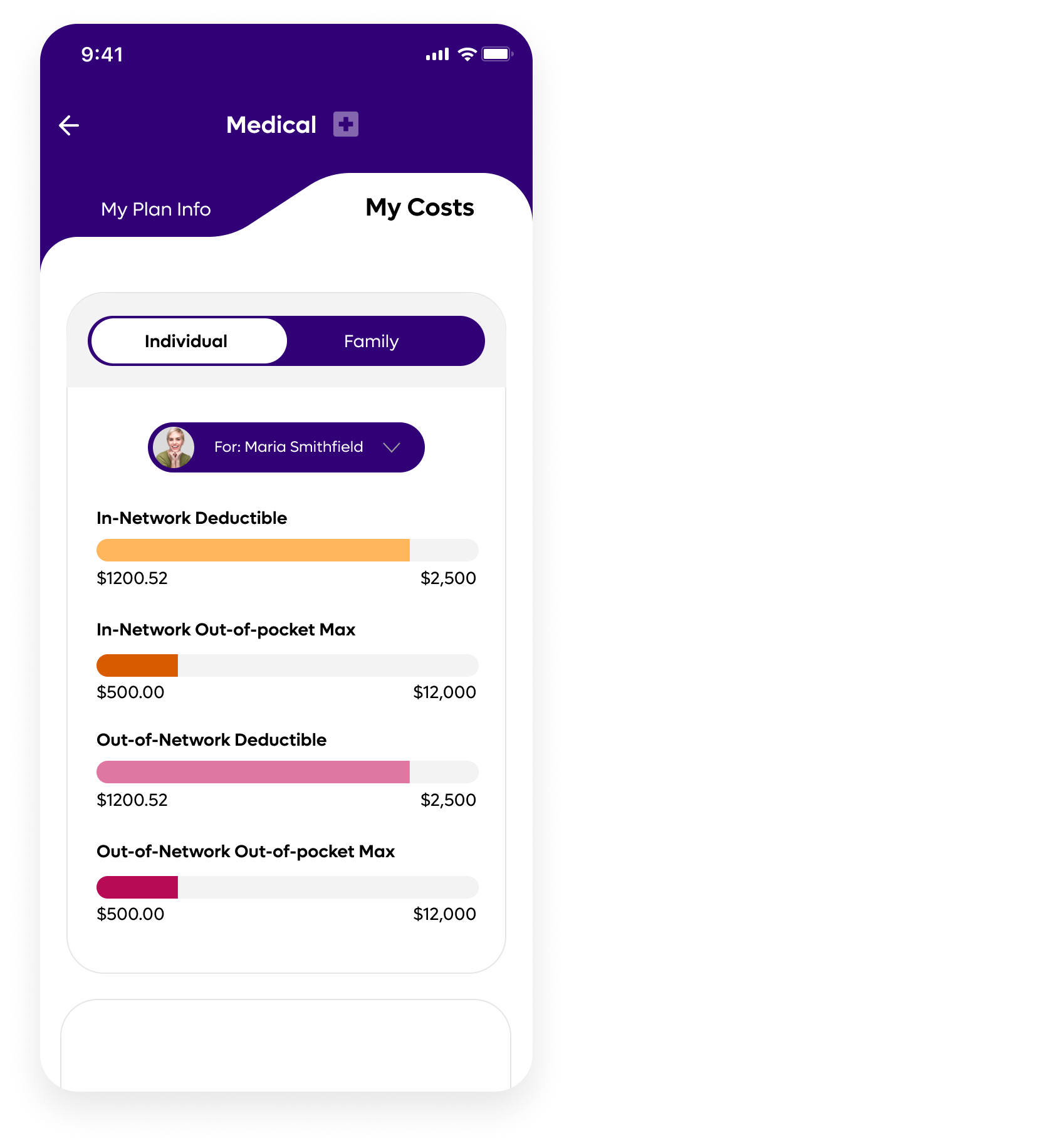
On the My Cost tab, you will find your accumulators gauges. Accumulators track progress on financial responsibilities like deductibles and out-of-pocket maximums over the course of a benefit year.
## My Costs Tab
On the My Cost tab, you will find your accumulators gauges. Accumulators track progress on financial responsibilities like deductibles and out-of-pocket maximums over the course of a benefit year.
 ## Wrong Information
Opyn does not manage your healthcare data. We display it for you in this
easy-to-use app. If you see incorrect information in your benefits wallet,
please notify your healthcare administrator or HR team.
## Wrong Information
Opyn does not manage your healthcare data. We display it for you in this
easy-to-use app. If you see incorrect information in your benefits wallet,
please notify your healthcare administrator or HR team.