> ## Documentation Index
> Fetch the complete documentation index at: https://app-guide.empara.io/llms.txt
> Use this file to discover all available pages before exploring further.
# Claims
> This page will walk you through the claims features in the app
## How to Get There
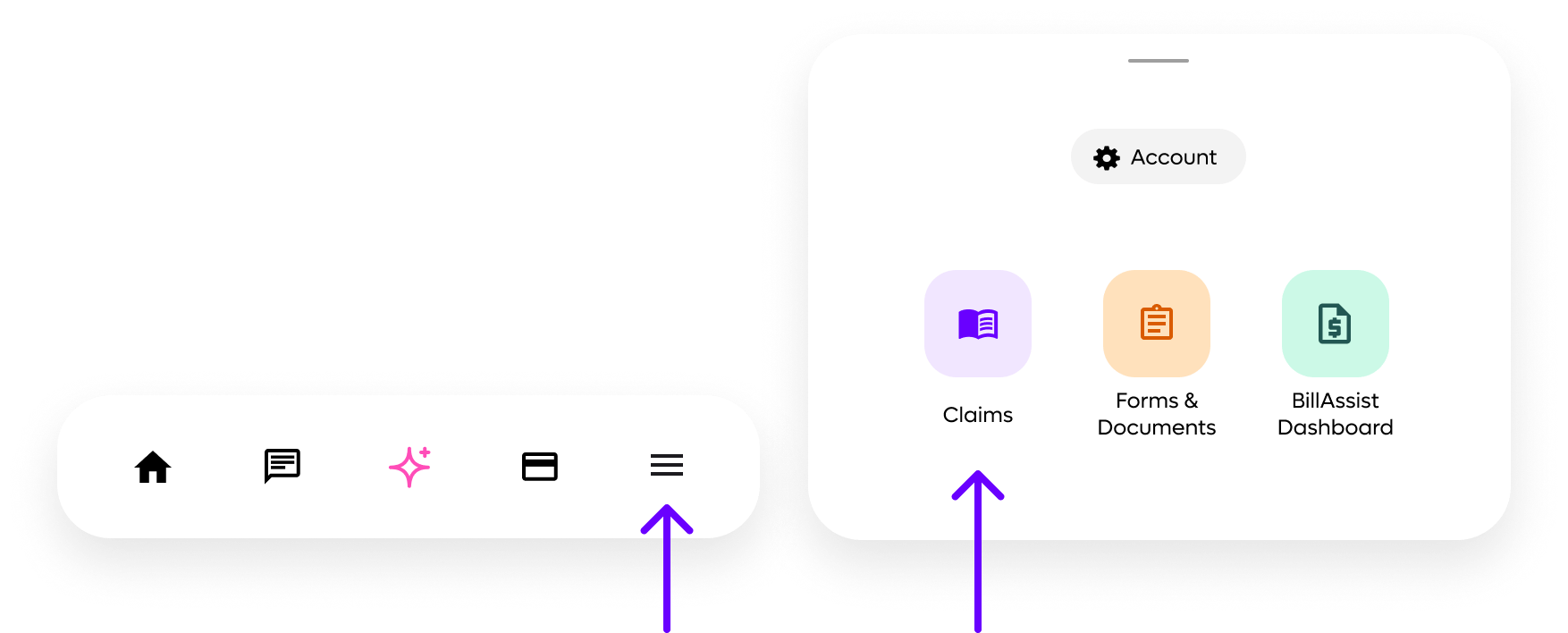
Navigate to the "More Menu" icon in your navigation bar. Tap it, and a modal menu will open. Select the "Claims" icon.
 **Don't see the "Claims"?**
If your app is being used for healthcare purposes, you may have access to your claims or EOB's. Availability depends on how your app has been configured by your employer or benefit sponsor.
## Medical and Pharmacy Tabs
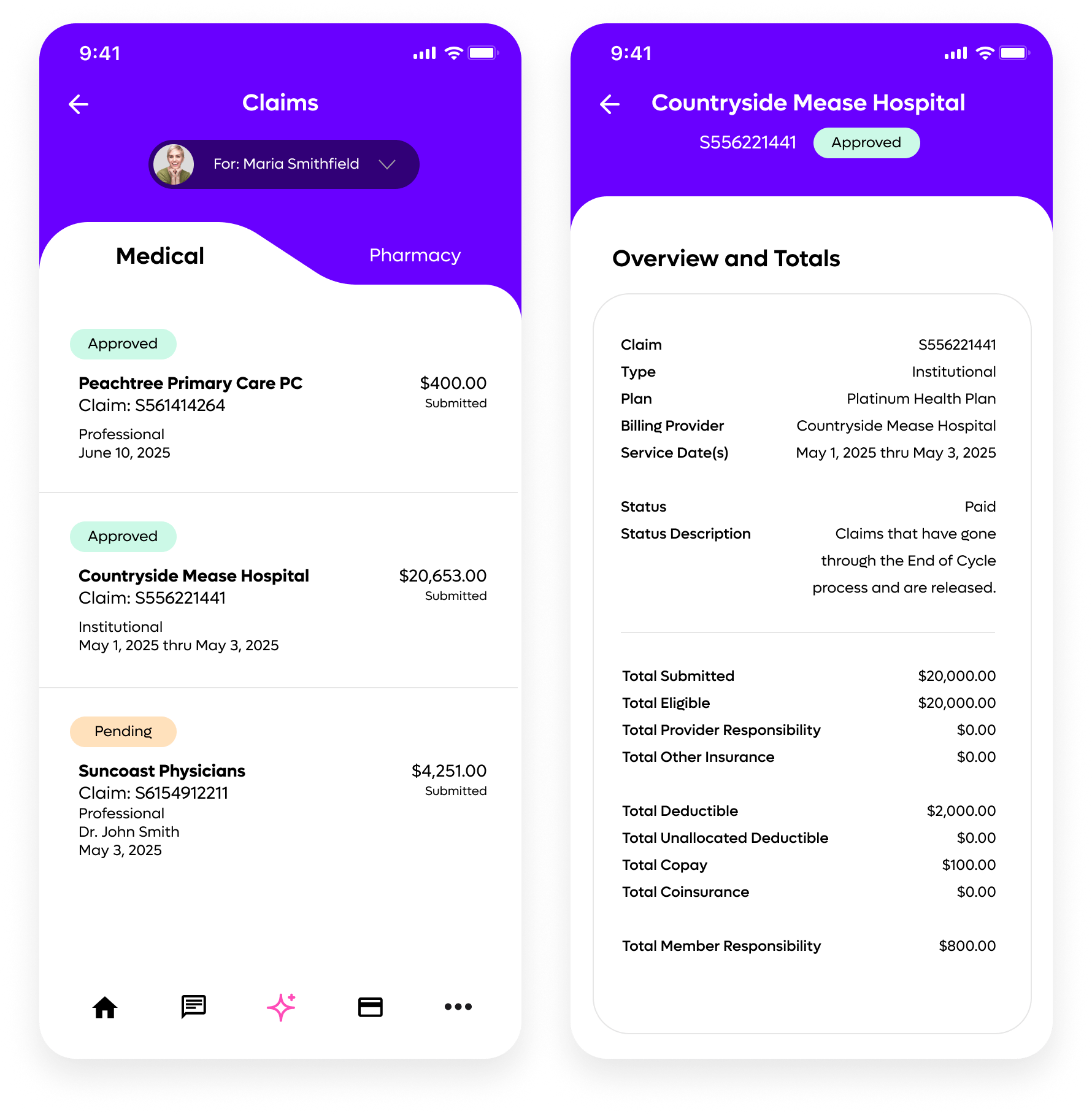
Tap or click on the tabs to toggle between medical and pharmacy claims.
**Don't see the "Claims"?**
If your app is being used for healthcare purposes, you may have access to your claims or EOB's. Availability depends on how your app has been configured by your employer or benefit sponsor.
## Medical and Pharmacy Tabs
Tap or click on the tabs to toggle between medical and pharmacy claims.
 ## Switch Between Yourself and Your Dependents
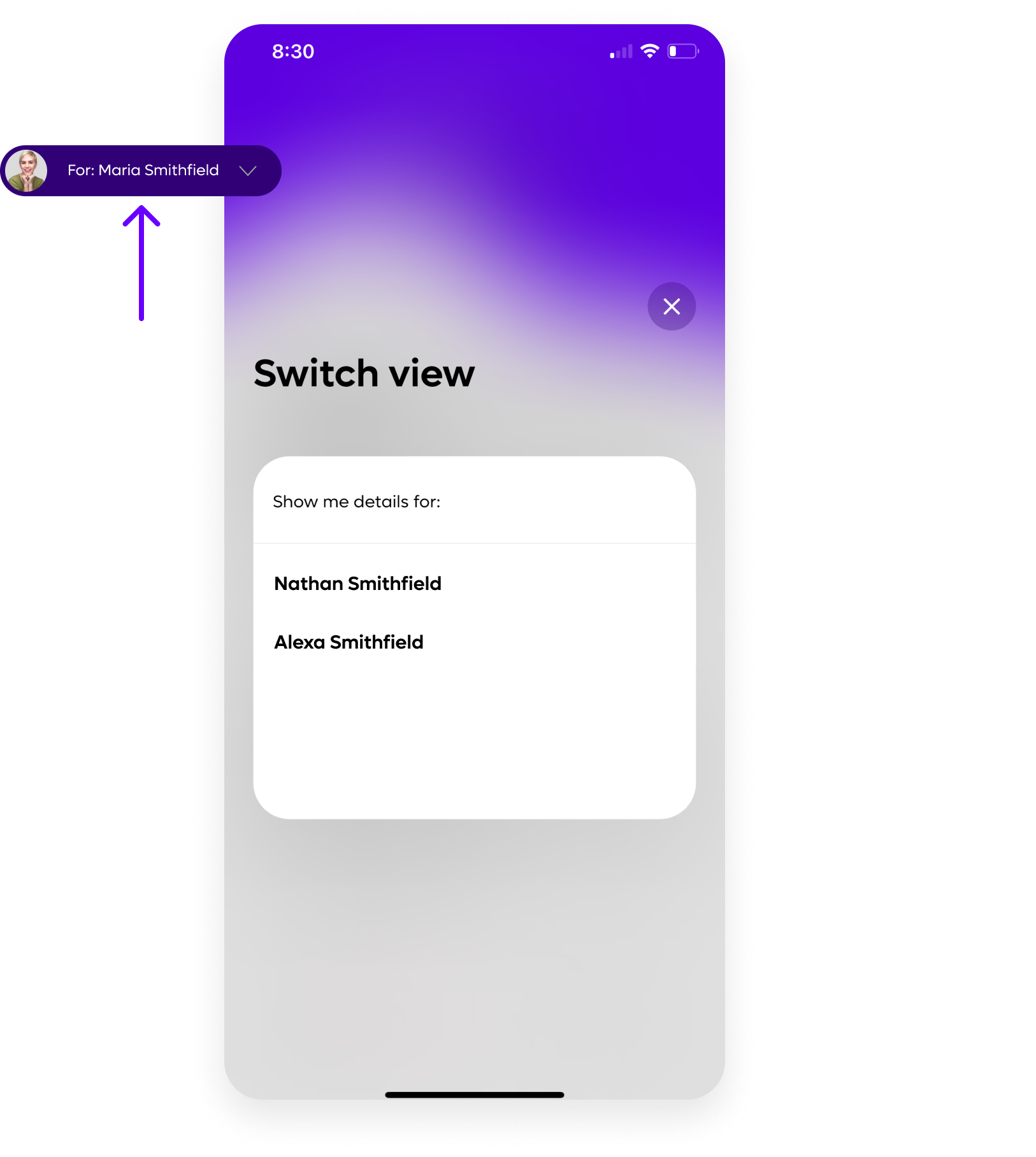
At the top of the screen, there is a toggle where you can choose to view claims for yourself or your dependents.
**Don't see your spouse or children's claims?**
Keep in mind, spouses and dependents over 18 are required to create their own account in Opyn.
## Switch Between Yourself and Your Dependents
At the top of the screen, there is a toggle where you can choose to view claims for yourself or your dependents.
**Don't see your spouse or children's claims?**
Keep in mind, spouses and dependents over 18 are required to create their own account in Opyn.